Most AI tools for WordPress either sit in a tiny chat sidebar or generate generic text into the post editor. They do not understand your database schema, your theme files, or your custom plugin hooks. When you ask them to fix an issue or build a template, they make guesses based on generic documentation.
Novamira takes a completely different route.
Instead of another chat widget, Novamira turns your WordPress site into a native Model Context Protocol (MCP) server. That means AI agents running in tools like Claude Desktop, Cursor, and VS Code can talk directly to your site runtime: running PHP, running WP-CLI commands, reading files, creating posts, and testing changes directly in your development environment.
As a WordPress developer who builds custom themes and maintains client sites daily, I tested Novamira extensively to see where it genuinely saves hours, where it falls short, and how to use it safely without risking broken sites.
What Is Novamira?
Novamira is an open-source WordPress plugin that acts as a local or remote MCP bridge. Once activated, it exposes a set of secure tools to your AI agent client.
Instead of you copying errors from debug.log, pasting them into Claude, copying code back, and testing in your browser, your AI agent can:
- Query your database directly using WP-CLI or custom SQL queries.
- Read your active theme templates, child themes, and plugin code.
- Execute PHP code directly within WordPress core context.
- Manage posts, custom post types, taxonomies, and options.
- Create and edit pages using supported page builders and block templates.
The Architecture: How It Connects
Novamira does not run through a middleman proxy or third-party SaaS cloud. The communication stays direct between your AI client and your WordPress server:
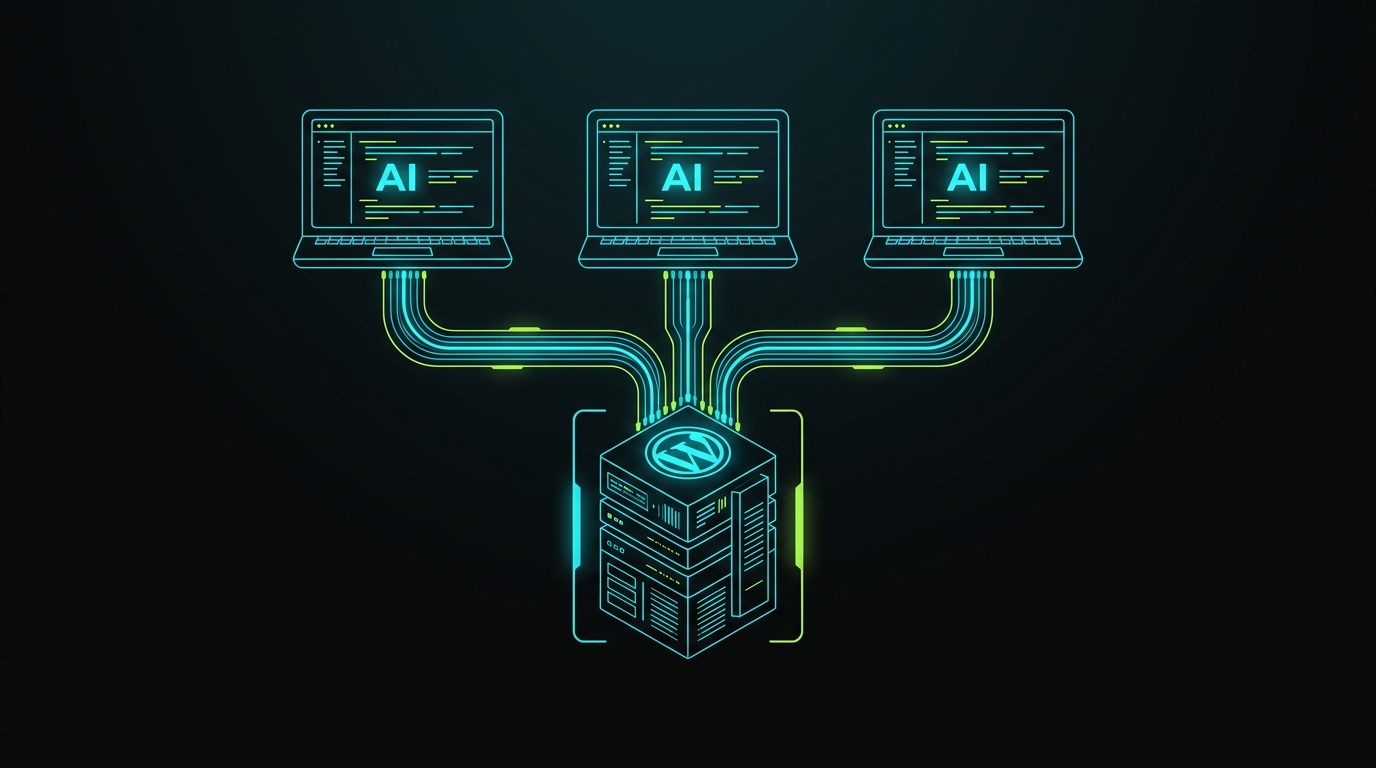
┌─────────────────────────┐          JSON-RPC / SSE           ┌─────────────────────────┐
│     AI Agent Client     │ ────────────────────────────────> │    Novamira Plugin      │
│  (Claude Desktop,       │                                   │   (WordPress Server /   │
│   Cursor, VS Code)      │ <──────────────────────────────── │    Local WP / Staging)  │
└─────────────────────────┘          MCP Tool Responses       └─────────────────────────┘
                                                                           │
                                                                           ▼
                                                              ┌─────────────────────────┐
                                                              │  WordPress Runtime API  │
                                                              │  • WP-CLI Commands      │
                                                              │  • DB Queries ($wpdb)   │
                                                              │  • Theme & Plugin Files │
                                                              └─────────────────────────┘
Core Features: What Can AI Agents Actually Do?
1. Direct WP-CLI Execution
Through the MCP connection, the AI agent can execute WP-CLI commands without requiring you to open a terminal tab. It can flush object caches, check active plugins, update rewrite rules, or regenerate thumbnails automatically.
2. Runtime PHP Evaluation & Debugging
If a hook is failing or a filter is not returning the expected data, the agent can run targeted PHP snippets in the context of the running site, inspect variables, and pinpoint conflicting plugins.
3. Novamira Design System Enforcer
One big flaw of generic AI page builders is inconsistent spacing, mismatched colors, and random fonts. Novamira includes design rules so the AI respects your active design tokens (fonts, color variables, spacing scale) when scaffolding pages.
4. Builder & Theme Compatibility (Pro Tier)
While the open-source version handles core WordPress, block themes, and standard PHP files, Novamira Pro adds deeper context for popular visual builders (Elementor, Bricks, Oxygen) and complex WooCommerce stores.
Pros and Cons of Novamira
To make an honest decision for your agency or freelance workflow, here is a breakdown of the benefits and real limitations:
The Pros
- Zero Copy-Paste Friction: The agent sees file structures and error logs directly, diagnosing issues in seconds.
- Direct Database Awareness: It inspects your actual custom post type meta keys and ACF field group schemas rather than guessing field names.
- Self-Hosted & Private: No third-party API intercepts your WordPress database credentials or proprietary code.
- Open Standards: Built on Anthropic's Model Context Protocol (MCP), meaning it works with any modern MCP-compatible client.
The Cons & Risks
- Dangerous on Production: Because it grants file write and code execution capabilities, running it on an unbacked-up live site is risky. A misunderstood prompt could drop database tables or corrupt options.
- Token Consumption: Reading large theme directories or database dumps can quickly consume client context tokens.
- Requires Developer Oversight: You still need to review the agent's code changes. It accelerates development, but it does not replace testing.
Step-by-Step: How to Set Up Novamira with Claude or Cursor
Step 1: Install the Plugin on Local or Staging
- Download the latest release from the official GitHub repository (
use-novamira/novamira) ornovamira.ai. - Upload and activate the plugin on your local development site (LocalWP, DDEV, Docker) or a dedicated staging server.
- Navigate to Settings → Novamira in your WordPress dashboard.
Step 2: Generate an Authentication Token
Generate an API token inside the Novamira dashboard. This token ensures only your authorized AI client can invoke WordPress runtime commands.
Step 3: Add to Your MCP Configuration
For Claude Desktop (claude_desktop_config.json):
{
  "mcpServers": {
    "novamira": {
      "command": "npx",
      "args": [
        "-y",
        "@novamira/mcp-server",
        "--url",
        "https://yoursite.local",
        "--token",
        "YOUR_GENERATED_API_TOKEN"
      ]
    }
  }
}
For Cursor (.cursor/mcp.json or Global MCP):
{
  "mcpServers": {
    "novamira": {
      "command": "npx",
      "args": [
        "-y",
        "@novamira/mcp-server",
        "--url",
        "https://yoursite.local",
        "--token",
        "YOUR_GENERATED_API_TOKEN"
      ]
    }
  }
}
Restart your client. You will see Novamira tools appear in your agent's available tool list.
Real-World Use Cases for Freelancers and Agencies
1. Rapid ACF Pro Theme Scaffolding
Ask your AI agent: "Read the ACF field group JSON in my theme and generate the single-event.php template with proper escaping, responsive markup, and Tailwind CSS classes."
The agent reads your exact field names directly from the database or /acf-json/ folder and generates the file in place.
2. Automated Diagnostic & White-Screen Triage
When an unknown fatal error occurs after an update, prompt: "Inspect the latest errors in wp-content/debug.log, identify the conflicting function, and suggest the fix in my child theme's functions.php."
3. Bulk Content & Taxonomy Migration
Instead of writing one-off migration scripts, prompt the agent to query external REST APIs, format the records, and insert them into custom post types using native WordPress functions (wp_insert_post, wp_set_object_terms).
Safety Rules for Working with WordPress MCP Agents
- Never install on production without backups: Always run Novamira on local environments (LocalWP/DDEV) or staging sites.
- Use Git version control: Ensure your theme and plugin directories are in a clean Git state before letting the agent make file changes. That way, you can run
git diffand undo changes instantly if needed. - Restrict database permissions: If testing on remote staging, use database user accounts with restricted privileges where appropriate.
Frequently Asked Questions
Is Novamira free?
Yes. The core Novamira plugin and MCP server are open-source and free to use. An optional Novamira Pro tier adds specialized builder support and persistent cross-session memory.
Can Novamira break my live site?
Yes, if used carelessly on production. Because Novamira allows execution of WP-CLI commands and file writes, always test on local development environments or staging sites with backups.
Which AI clients support Novamira?
Any client that supports the Model Context Protocol (MCP), including Claude Desktop, Cursor, VS Code (via MCP extensions), Antigravity, and custom CLI tools.
Summary & Takeaway
Novamira represents a genuine shift in how WordPress development works. Instead of treating AI as an external copywriter, it bridges the model directly into the WordPress ecosystem as an active pair programmer.
For solo developers, agencies managing multiple client sites, and teams looking to speed up theme development, setting up Novamira on your local staging environment is well worth testing.
Need expert WordPress development, custom ACF theme architecture, or white-label agency retainers? Get in touch with Faisal Yaqoob for a guaranteed written quote within 4 hours.

Faisal Yaqoob
Expert WordPress & Shopify Developer
Senior full-stack developer with 10+ years experience specializing in WordPress, Shopify, and headless CMS solutions. Delivering custom themes, plugins, e-commerce stores, and scalable web applications.