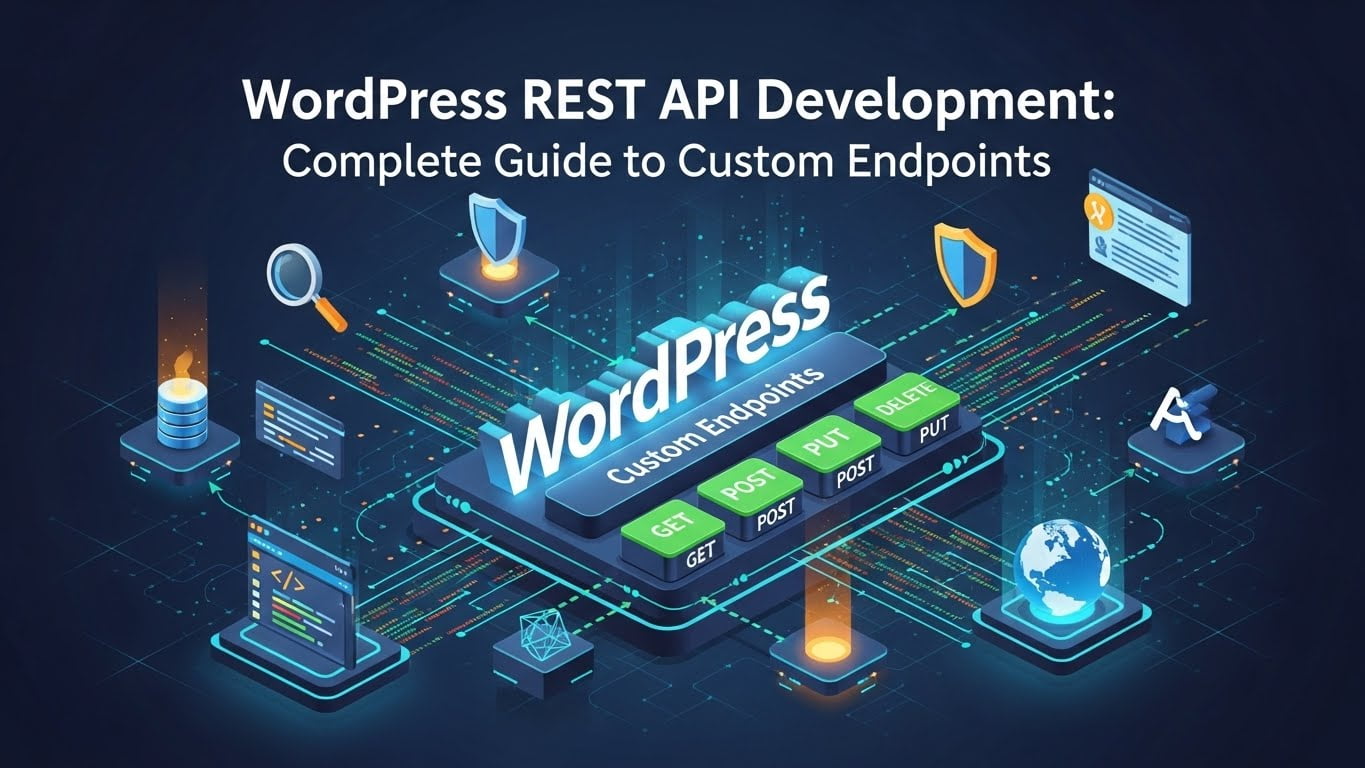
After building REST APIs for dozens of WordPress projects—from headless CMS implementations to mobile app backends—I've learned that WordPress's REST API is far more powerful than most developers realize. In this guide, I'll show you how to create production-ready custom endpoints that are secure, performant, and maintainable.
Why Use WordPress REST API?
The WordPress REST API transforms WordPress from a traditional CMS into a flexible application platform. Here's why it matters:
Headless WordPress: Decouple your frontend (React, Vue, Next.js) from WordPress backend Mobile Apps: Build iOS and Android apps that consume WordPress data Third-Party Integrations: Connect WordPress to external services and platforms JavaScript Applications: Access WordPress data from single-page applications Microservices Architecture: Use WordPress as one service in a larger ecosystem
I recently built a news aggregation platform serving 500,000+ monthly users where React/Next.js frontend consumed WordPress data via custom REST endpoints. Page load times dropped from 2.8s to 0.9s compared to traditional WordPress.
Understanding WordPress REST API Basics
WordPress includes a comprehensive REST API out of the box (since version 4.7). The base endpoint is:
https://yoursite.com/wp-json/
Built-In Endpoints
WordPress provides default endpoints for:
- Posts:
/wp/v2/posts - Pages:
/wp/v2/pages - Categories:
/wp/v2/categories - Tags:
/wp/v2/tags - Users:
/wp/v2/users - Media:
/wp/v2/media - Comments:
/wp/v2/comments
These work immediately—no configuration needed. But for custom functionality, you'll need custom endpoints.
Creating Your First Custom REST API Endpoint
Let's start with a simple custom endpoint that returns website statistics.
Step 1: Register the Custom Route
Create a custom plugin or add this to your theme's functions.php:
<?php
/**
 * Plugin Name: Custom REST API Endpoints
 * Description: Adds custom REST API endpoints for website statistics
 * Version: 1.0.0
 */

add_action('rest_api_init', function() {
    register_rest_route('custom/v1', '/stats', array(
        'methods'  => 'GET',
        'callback' => 'get_site_statistics',
        'permission_callback' => '__return_true' // Public endpoint
    ));
});

function get_site_statistics() {
    $stats = array(
        'total_posts'    => wp_count_posts('post')->publish,
        'total_pages'    => wp_count_posts('page')->publish,
        'total_comments' => wp_count_comments()->approved,
        'total_users'    => count_users()['total_users'],
        'wordpress_version' => get_bloginfo('version'),
        'site_name'      => get_bloginfo('name'),
        'timestamp'      => current_time('mysql')
    );

    return new WP_REST_Response($stats, 200);
}
Test it:
curl https://yoursite.com/wp-json/custom/v1/stats
Response:
{
    "total_posts": 156,
    "total_pages": 12,
    "total_comments": 423,
    "total_users": 8,
    "wordpress_version": "6.7",
    "site_name": "My WordPress Site",
    "timestamp": "2025-12-14 10:30:00"
}
Step 2: Understanding Route Registration
The register_rest_route() function takes three parameters:
- Namespace (
custom/v1): Groups your endpoints and enables versioning - Route (
/stats): The URL path - Arguments (array): Configuration options
Key arguments:
methods: HTTP methods (GET,POST,PUT,DELETE,PATCH)callback: Function to executepermission_callback: Who can access this endpointargs: Validate request parameters
Accepting Request Parameters
Let's create an endpoint that accepts parameters to filter posts:
add_action('rest_api_init', function() {
    register_rest_route('custom/v1', '/posts/filter', array(
        'methods'  => 'GET',
        'callback' => 'get_filtered_posts',
        'permission_callback' => '__return_true',
        'args' => array(
            'category' => array(
                'required' => false,
                'type' => 'string',
                'description' => 'Filter by category slug',
                'sanitize_callback' => 'sanitize_text_field'
            ),
            'limit' => array(
                'required' => false,
                'type' => 'integer',
                'default' => 10,
                'minimum' => 1,
                'maximum' => 100,
                'description' => 'Number of posts to return'
            ),
            'search' => array(
                'required' => false,
                'type' => 'string',
                'description' => 'Search posts by keyword',
                'sanitize_callback' => 'sanitize_text_field'
            )
        )
    ));
});

function get_filtered_posts($request) {
    $category = $request->get_param('category');
    $limit = $request->get_param('limit');
    $search = $request->get_param('search');

    $args = array(
        'post_type' => 'post',
        'posts_per_page' => $limit,
        'post_status' => 'publish'
    );

    // Add category filter
    if ($category) {
        $args['category_name'] = $category;
    }

    // Add search filter
    if ($search) {
        $args['s'] = $search;
    }

    $query = new WP_Query($args);
    $posts = array();

    if ($query->have_posts()) {
        while ($query->have_posts()) {
            $query->the_post();
            $posts[] = array(
                'id' => get_the_ID(),
                'title' => get_the_title(),
                'excerpt' => get_the_excerpt(),
                'permalink' => get_permalink(),
                'date' => get_the_date('c'), // ISO 8601 format
                'featured_image' => get_the_post_thumbnail_url(get_the_ID(), 'large'),
                'categories' => wp_get_post_categories(get_the_ID(), array('fields' => 'names'))
            );
        }
        wp_reset_postdata();
    }

    return new WP_REST_Response(array(
        'posts' => $posts,
        'total' => $query->found_posts,
        'pages' => $query->max_num_pages
    ), 200);
}
Test it:
# Get 5 posts from "wordpress" category
curl "https://yoursite.com/wp-json/custom/v1/posts/filter?category=wordpress&limit=5"

# Search for posts containing "plugin"
curl "https://yoursite.com/wp-json/custom/v1/posts/filter?search=plugin"
Handling POST Requests (Creating Data)
Let's create an endpoint that accepts form submissions:
add_action('rest_api_init', function() {
    register_rest_route('custom/v1', '/contact', array(
        'methods'  => 'POST',
        'callback' => 'handle_contact_form',
        'permission_callback' => '__return_true',
        'args' => array(
            'name' => array(
                'required' => true,
                'type' => 'string',
                'sanitize_callback' => 'sanitize_text_field',
                'validate_callback' => function($param) {
                    return !empty($param) && strlen($param) <= 100;
                }
            ),
            'email' => array(
                'required' => true,
                'type' => 'string',
                'sanitize_callback' => 'sanitize_email',
                'validate_callback' => function($param) {
                    return is_email($param);
                }
            ),
            'message' => array(
                'required' => true,
                'type' => 'string',
                'sanitize_callback' => 'sanitize_textarea_field',
                'validate_callback' => function($param) {
                    return !empty($param) && strlen($param) <= 5000;
                }
            )
        )
    ));
});

function handle_contact_form($request) {
    $name = $request->get_param('name');
    $email = $request->get_param('email');
    $message = $request->get_param('message');

    // Save to database
    $post_id = wp_insert_post(array(
        'post_title' => sprintf('Contact from %s', $name),
        'post_content' => $message,
        'post_type' => 'contact_submission', // Register this custom post type first
        'post_status' => 'publish',
        'meta_input' => array(
            'contact_name' => $name,
            'contact_email' => $email,
            'submission_date' => current_time('mysql')
        )
    ));

    if (is_wp_error($post_id)) {
        return new WP_Error(
            'submission_failed',
            'Failed to save contact form',
            array('status' => 500)
        );
    }

    // Send email notification (optional)
    wp_mail(
        get_option('admin_email'),
        'New Contact Form Submission',
        sprintf("Name: %s\nEmail: %s\n\nMessage:\n%s", $name, $email, $message)
    );

    return new WP_REST_Response(array(
        'success' => true,
        'message' => 'Thank you for your message. We will respond soon.',
        'submission_id' => $post_id
    ), 201);
}
Test with cURL:
curl -X POST https://yoursite.com/wp-json/custom/v1/contact \
  -H "Content-Type: application/json" \
  -d '{
    "name": "John Doe",
    "email": "john@example.com",
    "message": "This is a test message"
  }'
Authentication and Security
CRITICAL: Never use 'permission_callback' => '__return_true' for endpoints that modify data or return sensitive information.
Method 1: Require Login (Cookie Authentication)
register_rest_route('custom/v1', '/private-data', array(
    'methods'  => 'GET',
    'callback' => 'get_private_data',
    'permission_callback' => function() {
        return is_user_logged_in();
    }
));
Method 2: Check User Capabilities
register_rest_route('custom/v1', '/admin-only', array(
    'methods'  => 'GET',
    'callback' => 'get_admin_data',
    'permission_callback' => function() {
        return current_user_can('manage_options');
    }
));
Method 3: Application Passwords (Recommended for External Apps)
WordPress 5.6+ supports Application Passwords for REST API authentication.
Enable in WordPress:
- Go to Users → Your Profile
- Scroll to "Application Passwords"
- Create a new application password
- Use Basic Authentication in your requests
Example request:
curl -X GET https://yoursite.com/wp-json/wp/v2/posts \
  --user "username:xxxx xxxx xxxx xxxx xxxx xxxx"
Method 4: Custom API Key Authentication
For third-party integrations, implement custom API key authentication:
function validate_api_key($request) {
    $api_key = $request->get_header('X-API-Key');

    if (!$api_key) {
        return false;
    }

    // Check against stored API keys (store in options or custom table)
    $valid_keys = get_option('custom_api_keys', array());

    return in_array($api_key, $valid_keys);
}

register_rest_route('custom/v1', '/secure-endpoint', array(
    'methods'  => 'POST',
    'callback' => 'handle_secure_request',
    'permission_callback' => 'validate_api_key'
));
Usage:
curl -X POST https://yoursite.com/wp-json/custom/v1/secure-endpoint \
  -H "X-API-Key: your-secret-api-key-here" \
  -H "Content-Type: application/json" \
  -d '{"data": "value"}'
Error Handling Best Practices
Always return proper HTTP status codes and error messages:
function get_post_by_id($request) {
    $post_id = $request->get_param('id');
    $post = get_post($post_id);

    if (!$post) {
        return new WP_Error(
            'post_not_found',
            'Post not found',
            array('status' => 404)
        );
    }

    if ($post->post_status !== 'publish') {
        return new WP_Error(
            'post_not_published',
            'This post is not publicly available',
            array('status' => 403)
        );
    }

    return new WP_REST_Response(array(
        'id' => $post->ID,
        'title' => $post->post_title,
        'content' => apply_filters('the_content', $post->post_content)
    ), 200);
}
Real-World Example: WooCommerce Product Search API
Here's a practical endpoint for searching WooCommerce products:
add_action('rest_api_init', function() {
    register_rest_route('shop/v1', '/products/search', array(
        'methods'  => 'GET',
        'callback' => 'search_products',
        'permission_callback' => '__return_true',
        'args' => array(
            'query' => array(
                'required' => true,
                'type' => 'string',
                'sanitize_callback' => 'sanitize_text_field'
            ),
            'min_price' => array(
                'required' => false,
                'type' => 'number'
            ),
            'max_price' => array(
                'required' => false,
                'type' => 'number'
            ),
            'in_stock' => array(
                'required' => false,
                'type' => 'boolean',
                'default' => false
            )
        )
    ));
});

function search_products($request) {
    $query = $request->get_param('query');
    $min_price = $request->get_param('min_price');
    $max_price = $request->get_param('max_price');
    $in_stock = $request->get_param('in_stock');

    $args = array(
        'post_type' => 'product',
        'posts_per_page' => 20,
        's' => $query,
        'post_status' => 'publish'
    );

    // Price filter
    if ($min_price || $max_price) {
        $args['meta_query'] = array('relation' => 'AND');

        if ($min_price) {
            $args['meta_query'][] = array(
                'key' => '_price',
                'value' => $min_price,
                'compare' => '>=',
                'type' => 'NUMERIC'
            );
        }

        if ($max_price) {
            $args['meta_query'][] = array(
                'key' => '_price',
                'value' => $max_price,
                'compare' => '<=',
                'type' => 'NUMERIC'
            );
        }
    }

    // Stock filter
    if ($in_stock) {
        $args['meta_query'][] = array(
            'key' => '_stock_status',
            'value' => 'instock'
        );
    }

    $query_obj = new WP_Query($args);
    $products = array();

    if ($query_obj->have_posts()) {
        while ($query_obj->have_posts()) {
            $query_obj->the_post();
            $product = wc_get_product(get_the_ID());

            $products[] = array(
                'id' => $product->get_id(),
                'name' => $product->get_name(),
                'price' => $product->get_price(),
                'regular_price' => $product->get_regular_price(),
                'sale_price' => $product->get_sale_price(),
                'on_sale' => $product->is_on_sale(),
                'stock_status' => $product->get_stock_status(),
                'image' => wp_get_attachment_url($product->get_image_id()),
                'permalink' => get_permalink($product->get_id()),
                'short_description' => $product->get_short_description()
            );
        }
        wp_reset_postdata();
    }

    return new WP_REST_Response(array(
        'products' => $products,
        'total' => $query_obj->found_posts
    ), 200);
}
Test it:
curl "https://yoursite.com/wp-json/shop/v1/products/search?query=laptop&min_price=500&max_price=1500&in_stock=true"
Performance Optimization
1. Add Caching
function get_cached_posts($request) {
    $cache_key = 'custom_posts_' . md5(serialize($request->get_params()));
    $cached = wp_cache_get($cache_key);

    if ($cached !== false) {
        return new WP_REST_Response($cached, 200);
    }

    // Expensive query here
    $posts = get_posts(array(/* ... */));

    // Cache for 5 minutes
    wp_cache_set($cache_key, $posts, '', 300);

    return new WP_REST_Response($posts, 200);
}
2. Limit Response Fields
// Only return necessary fields
$posts[] = array(
    'id' => get_the_ID(),
    'title' => get_the_title(),
    'permalink' => get_permalink()
    // Don't include large fields like 'content' unless needed
);
3. Pagination
'args' => array(
    'page' => array(
        'default' => 1,
        'type' => 'integer'
    ),
    'per_page' => array(
        'default' => 10,
        'maximum' => 100,
        'type' => 'integer'
    )
)
Testing Your REST API
Using cURL
# GET request
curl https://yoursite.com/wp-json/custom/v1/endpoint

# POST request with JSON data
curl -X POST https://yoursite.com/wp-json/custom/v1/endpoint \
  -H "Content-Type: application/json" \
  -d '{"key": "value"}'

# With authentication
curl https://yoursite.com/wp-json/wp/v2/posts \
  --user "username:application-password"
Using Postman
- Install Postman
- Create new request
- Set method (GET, POST, etc.)
- Enter URL:
https://yoursite.com/wp-json/custom/v1/endpoint - Add headers if needed (Content-Type, X-API-Key, etc.)
- Add request body for POST/PUT requests
- Click Send
Using JavaScript (Fetch API)
// GET request
fetch('https://yoursite.com/wp-json/custom/v1/posts/filter?limit=5')
  .then(response => response.json())
  .then(data => console.log(data))
  .catch(error => console.error('Error:', error));

// POST request
fetch('https://yoursite.com/wp-json/custom/v1/contact', {
  method: 'POST',
  headers: {
    'Content-Type': 'application/json'
  },
  body: JSON.stringify({
    name: 'John Doe',
    email: 'john@example.com',
    message: 'Hello from JavaScript'
  })
})
  .then(response => response.json())
  .then(data => console.log(data))
  .catch(error => console.error('Error:', error));
Common Issues and Solutions
Issue 1: 404 Errors on Custom Routes
Cause: Permalinks not flushed after registering routes
Solution:
// After registering routes, flush permalinks once
register_activation_hook(__FILE__, 'flush_rewrite_rules');
register_deactivation_hook(__FILE__, 'flush_rewrite_rules');
Or manually: Go to Settings → Permalinks and click "Save Changes"
Issue 2: CORS Errors in JavaScript
Cause: Cross-Origin Resource Sharing not enabled
Solution:
add_action('rest_api_init', function() {
    remove_filter('rest_pre_serve_request', 'rest_send_cors_headers');
    add_filter('rest_pre_serve_request', function($value) {
        header('Access-Control-Allow-Origin: *');
        header('Access-Control-Allow-Methods: GET, POST, PUT, DELETE, OPTIONS');
        header('Access-Control-Allow-Headers: Content-Type, Authorization, X-API-Key');
        return $value;
    });
}, 15);
Issue 3: Authentication Not Working
Cause: WordPress nonce verification failing
Solution: Use Application Passwords instead of cookie authentication for external apps
Issue 4: Slow API Responses
Solutions:
- Implement caching (WP Object Cache or transients)
- Limit query complexity
- Use pagination
- Add database indexes for custom queries
- Use
'fields' => 'ids'in WP_Query when you only need IDs
Security Checklist
✅ Always validate and sanitize input ✅ Use proper permission callbacks ✅ Implement rate limiting for public endpoints ✅ Never expose sensitive data without authentication ✅ Use HTTPS in production ✅ Validate API keys securely ✅ Log API access for monitoring ✅ Set proper CORS headers ✅ Handle errors gracefully without exposing system details
Frequently Asked Questions
Can I disable the default WordPress REST API?
Yes, but not recommended. To disable specific endpoints:
add_filter('rest_endpoints', function($endpoints) {
    if (isset($endpoints['/wp/v2/users'])) {
        unset($endpoints['/wp/v2/users']);
    }
    return $endpoints;
});
How do I version my API?
Use namespaces:
custom/v1for version 1custom/v2for version 2
This allows you to maintain backwards compatibility while releasing new versions.
Can I use the REST API with mobile apps?
Absolutely! The WordPress REST API is perfect for mobile apps. Use Application Passwords for authentication.
How do I test authentication locally?
Use Postman or cURL with the --user flag for Basic Authentication.
What's the difference between REST API and AJAX?
- REST API: Standard HTTP endpoints, stateless, can be used by any client
- AJAX: WordPress-specific, uses
admin-ajax.php, stateful (uses nonces)
Use REST API for modern applications, AJAX for traditional WordPress plugins.
Next Steps
Now that you understand WordPress REST API development, try building:
- Headless WordPress site with Next.js or React
- Mobile app consuming WordPress data
- Third-party integrations (Zapier, Make, custom services)
- Progressive Web App (PWA) with WordPress backend
- Microservices architecture with WordPress as one service
The REST API opens endless possibilities for WordPress beyond traditional websites.
Resources
- WordPress REST API Handbook
- REST API Reference
- Application Passwords Documentation
- Postman Collections for WordPress
About the Author: I'm Fysal Yaqoob, a WordPress developer with 10+ years of experience building REST APIs for headless WordPress, mobile apps, and enterprise integrations. I've implemented REST API solutions for 100+ clients worldwide. Get in touch if you need help with your WordPress API project.

Faisal Yaqoob
Expert WordPress & Shopify Developer
Senior full-stack developer with 10+ years experience specializing in WordPress, Shopify, and headless CMS solutions. Delivering custom themes, plugins, e-commerce stores, and scalable web applications.